Where to find it
Click a server on the Fleet screen, then open the Health Score tab.
How to read it
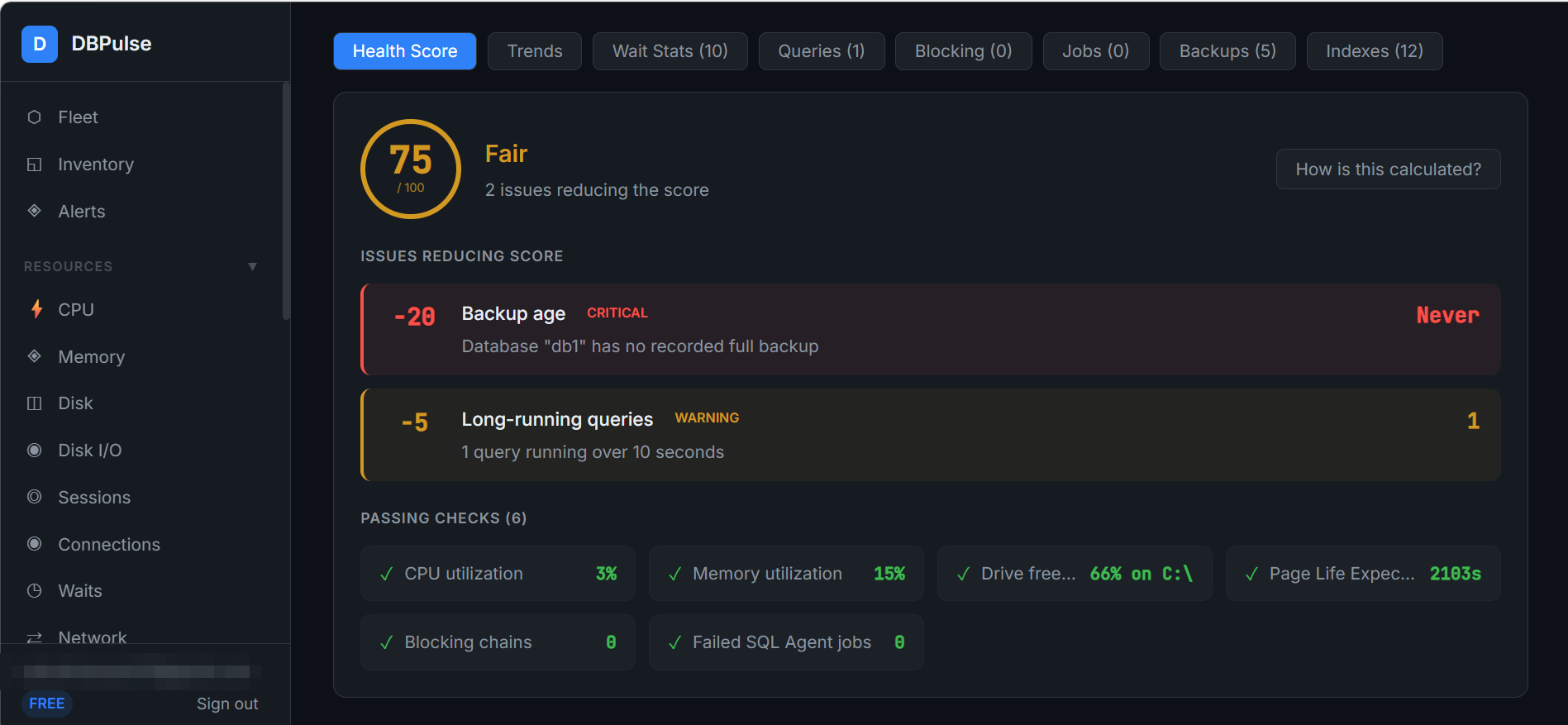
- The ring shows the score out of 100 and a rating (for example, Fair).
- Issues reducing score lists each problem with its point deduction and severity — for example, a database with no recorded full backup (−20, critical) or a query running over 10 seconds (−5, warning).
- Passing checks lists what is healthy: CPU utilisation, memory utilisation, drive free space, page life expectancy, blocking chains and failed SQL Agent jobs.
- How is this calculated? opens an in-product explanation of the scoring.